 Rasel Mail
Accounts, mailboxes and aliases
Understand ownership, sign-in and where messages arrive.
Editorial update: October 30, 2026In this guide
Three different things
| Item | Purpose |
|---|---|
| Owner account | Manages subscription, domains and owned mailboxes. |
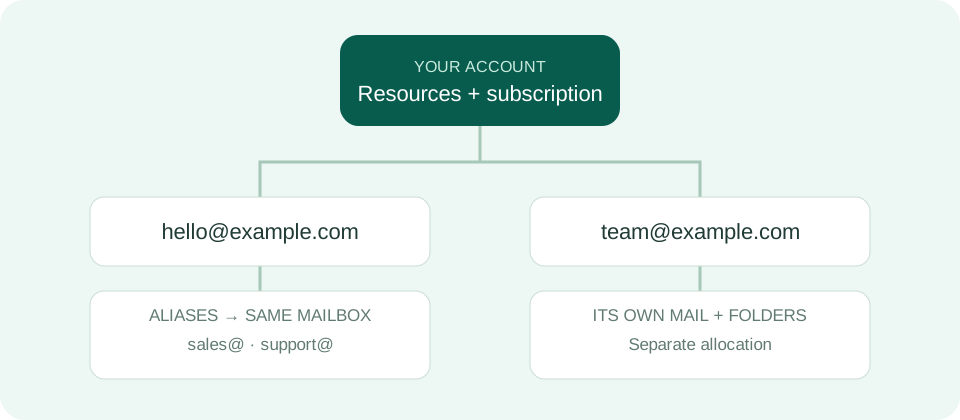
| Independent mailbox | Has its own messages, folders and allocated storage; access requires permission. |
| Alias | An address delivering into an existing mailbox, without a separate mailbox. |
A practical example
If hello@example.com has the alias sales@example.com, messages to both addresses arrive in the same mailbox. If sales needs separate folders and storage, create another mailbox rather than only an alias.
Sign-in and sharing
A mailbox-password session opens its authorized mailbox. Subscription and sensitive application management require the owner account session. Sharing a mailbox does not transfer ownership, and creating an alias does not automatically grant a teammate access.