 Rasel Mail
Connect your domain and receive your first message
Three clear stages: ownership, receiving and sending.
Editorial update: October 30, 2026In this guide
Prepare what you need
- A subscription with custom-domain capacity and a domain you own; Rasel Mail does not register the domain for you.
- Access to the provider hosting the domain’s active nameservers. Your registrar and DNS provider may differ.
- A copy of the current mail records, especially if another email service already handles mail.
Setup stages
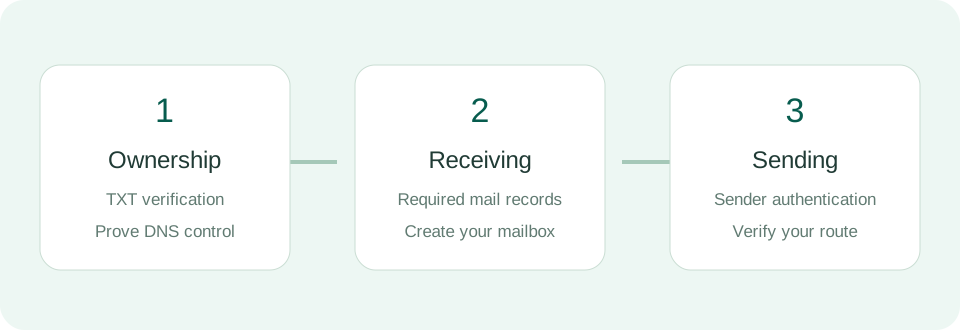
- In Control Panel → Domains, add only the domain name, such as example.com, without https or a page path.
- Copy the displayed ownership record into DNS and verify ownership.
- Add and verify receiving records in the correct locations. Create a mailbox once receiving is ready.
- Complete the sending records shown by Rasel Mail; they can differ by domain and sending provider.
Test the setup
After the domain is ready, create an address such as hello@example.com and send it a non-sensitive test from an external mailbox. Test replying once sending setup is complete. Changing MX to a new service does not automatically migrate old mail from another provider.